Roadworthiness validity lets you quickly check a vehicle’s technical inspection expiry date using its VIN.
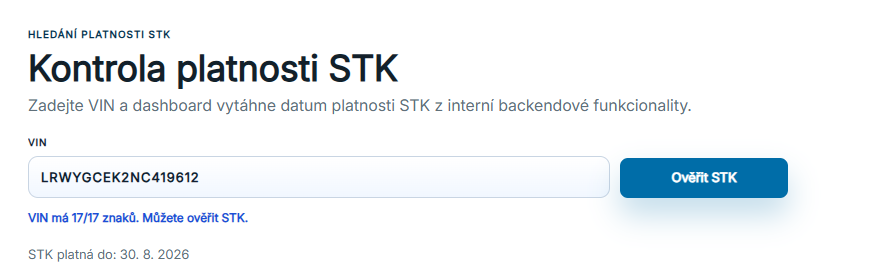
Enter the vehicle’s VIN. The system continuously checks that it contains all 17 characters and that the check can be started.
Click Check STK to load the available information. If the inspection date is available in the register or saved portfolio, it appears directly in the result.
The database covers vehicles that are or have been recorded in the Czech vehicle register. If the date cannot be found automatically, you can enter it manually for a saved vehicle.
Enter a VIN and check roadworthiness validity.
02
Check result and basic information
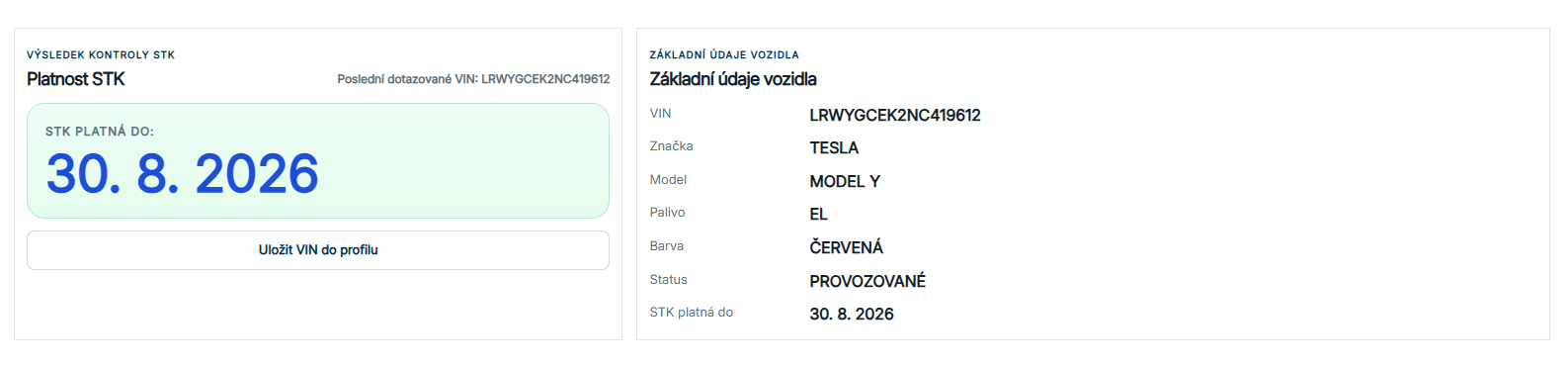
After a successful check, the inspection expiry date and basic vehicle identification appear.
The result contains a separate card with the STK valid-until date. Beside it are basic vehicle details such as VIN, make, model, fuel, colour, status and inspection expiry date.
Save the verified VIN to your profile to add the vehicle to Saved cars / STK. There you can track it, add labels, export it or set up email reminders.
STK check result and basic vehicle information.
03
Saved cars / STK in your profile
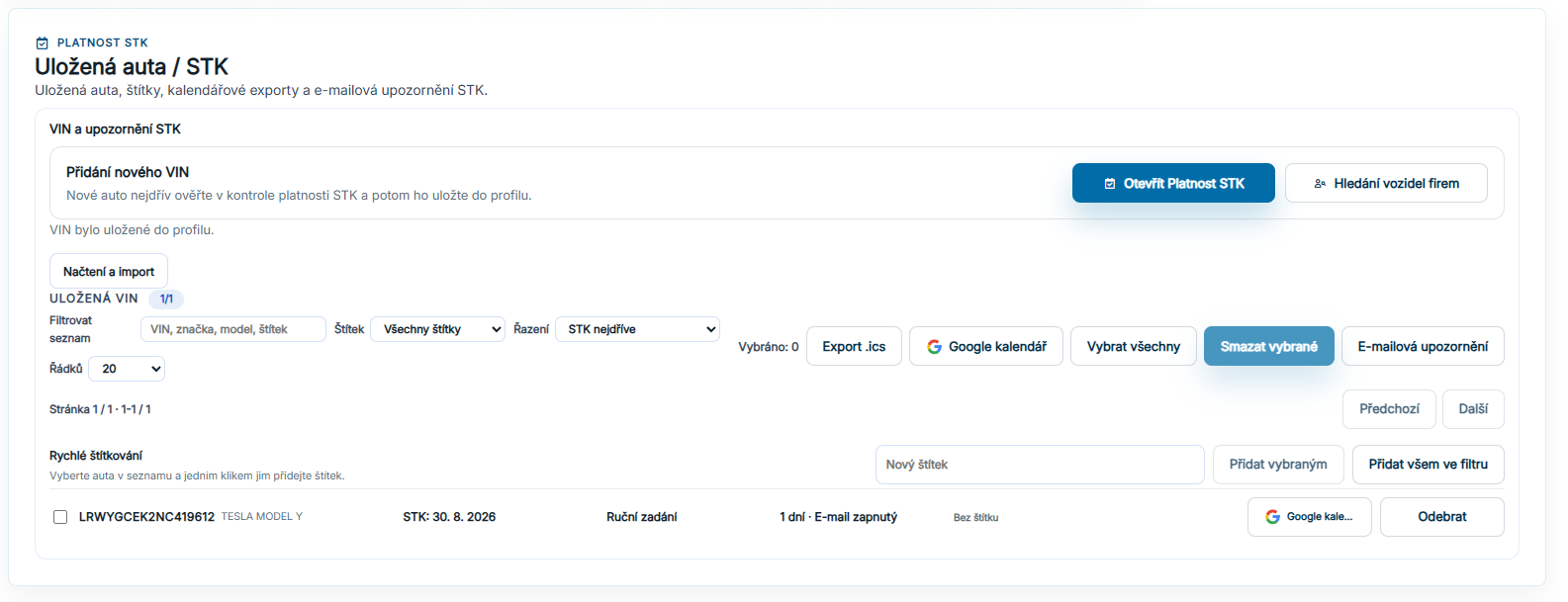
Your saved VINs are available in your profile.
You can save any VIN to your profile for reminders about an approaching technical inspection.
Each record shows the VIN, make, model, inspection date, date source and reminder settings.
From your profile, open Roadworthiness validity for further tools to manage the whole fleet. Read more here.
Manage saved vehicles in your profile.
04
Profile
The Profile section will describe working with saved vehicles and related tools for the whole fleet.
The profile is where you manage saved cars, STK reminders, labels, selections, calendar exports and other fleet actions.
This part of the guide will follow the separate profile updates and can be expanded with precise instructions for bulk actions, filtering, pagination and email recipient management.
How to read the data
Inspection date and a manually saved date
A missing inspection date confirms neither validity nor expiry. If you enter a date in your portfolio yourself, it is your saved information. The display distinguishes it from a registry date; check the source before relying on it.
Missing information and loading errors
An unfound VIN, an unreported technical value and a service error mean different things. An empty field is not evidence that an event never occurred. Registry history alone is not a complete accident, service or vehicle-condition history.
Data period and import date
The latest registration date, the period covered and the import time are different facts. The newest record alone does not prove that a whole month is complete. A last-verified-data label indicates a fallback result; a missing period is not a confirmed zero.