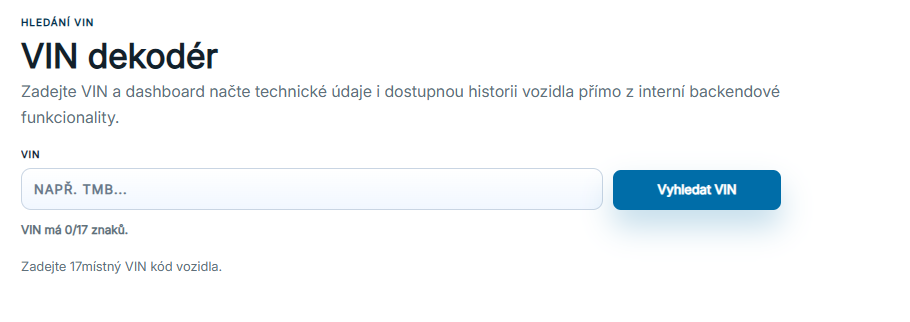
VIN search lets you find technical information about a particular vehicle using its VIN.
Enter the VIN for which you want to display the available vehicle registry information.
Important: the database contains only VINs of vehicles that are or have previously been registered in the Czech Republic.
As you type, the system checks that the VIN is complete and contains all 17 characters, so you can immediately see whether its format is correct.
After you click Search, the system checks whether the VIN is valid and exists in the database. If a record is found, several sections of vehicle information appear.
VIN decoder with an input field and a live character count check.
02
Vehicle history
Vehicle history shows the entities that have owned or operated the vehicle.
You can see the sequence of owners or operators recorded in the vehicle register.
The history helps you quickly understand changes in ownership, operation or company association over time.
Owner and operator history for the selected VIN.
03
Company details
For company entities, you can click the company link.
This opens that company’s details, where you can explore its vehicles and registrations further.
Clicking an owner opens the owned-vehicles view. Clicking an operator opens the operated-vehicles view.
04
Vehicle technical data
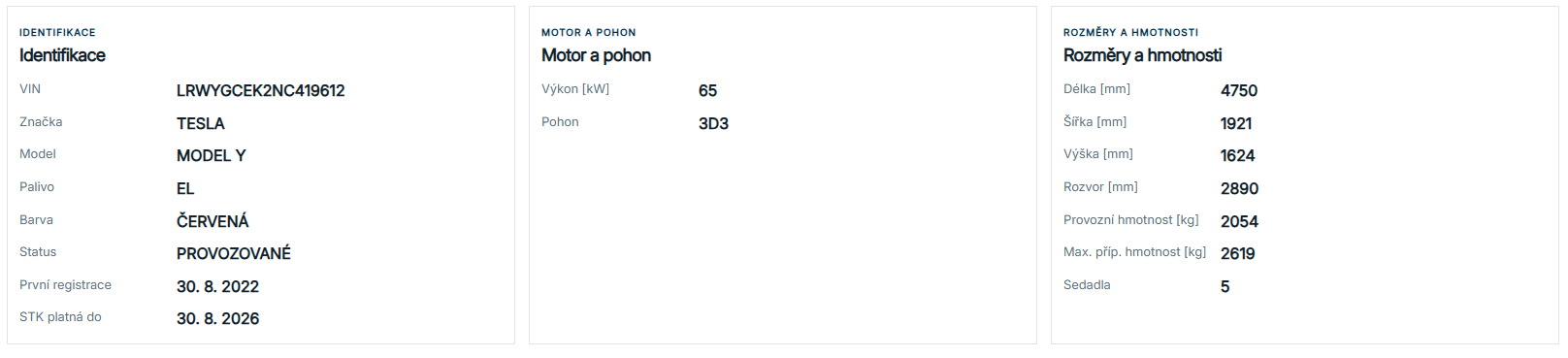
Below the vehicle history, you will find the technical data held in the vehicle register for that VIN.
For clarity, the data is grouped into Identification, Engine and drivetrain, Dimensions and weights, and Other registry data.
This section provides a quick overview of the vehicle’s technical specifications and lets you compare them with the information recorded in the vehicle register.
Basic identification, engine, drivetrain, dimensions and weights.
How to read the data
Missing information and loading errors
An unfound VIN, an unreported technical value and a service error mean different things. An empty field is not evidence that an event never occurred. Registry history alone is not a complete accident, service or vehicle-condition history.
Data period and import date
The latest registration date, the period covered and the import time are different facts. The newest record alone does not prove that a whole month is complete. A last-verified-data label indicates a fallback result; a missing period is not a confirmed zero.